

Private by designYour private Vault stays on your device.

Everything that matters. In one place.
Your life.Clearer, calmer, connected.
Plan it. Find it. Remember it. Live it.
LIFECORE brings your day, family, money, home, documents and plans together without taking control away from you.
Preparing for release on
Google Play
Apple App Store
Android first · iPhone and iPad to follow
Helpful, not noisySee what matters without the clutter.
Works offlineYour essentials stay available.
You stay in controlNothing is shared without your say-so.
Everything has a home
The app for the life you actually live.
Start with what you need today. Turn other areas on when they become useful. LIFECORE stays easy to move through, even as it grows with you.
Inside LIFECORE
Find the feature you need.
Search in everyday words—try “kids,” “car stuff,” “payday,” “holiday” or “where did I put it?”
Nothing matched that search.Try a simpler word, like “task,” “family,” “bill” or “travel.”
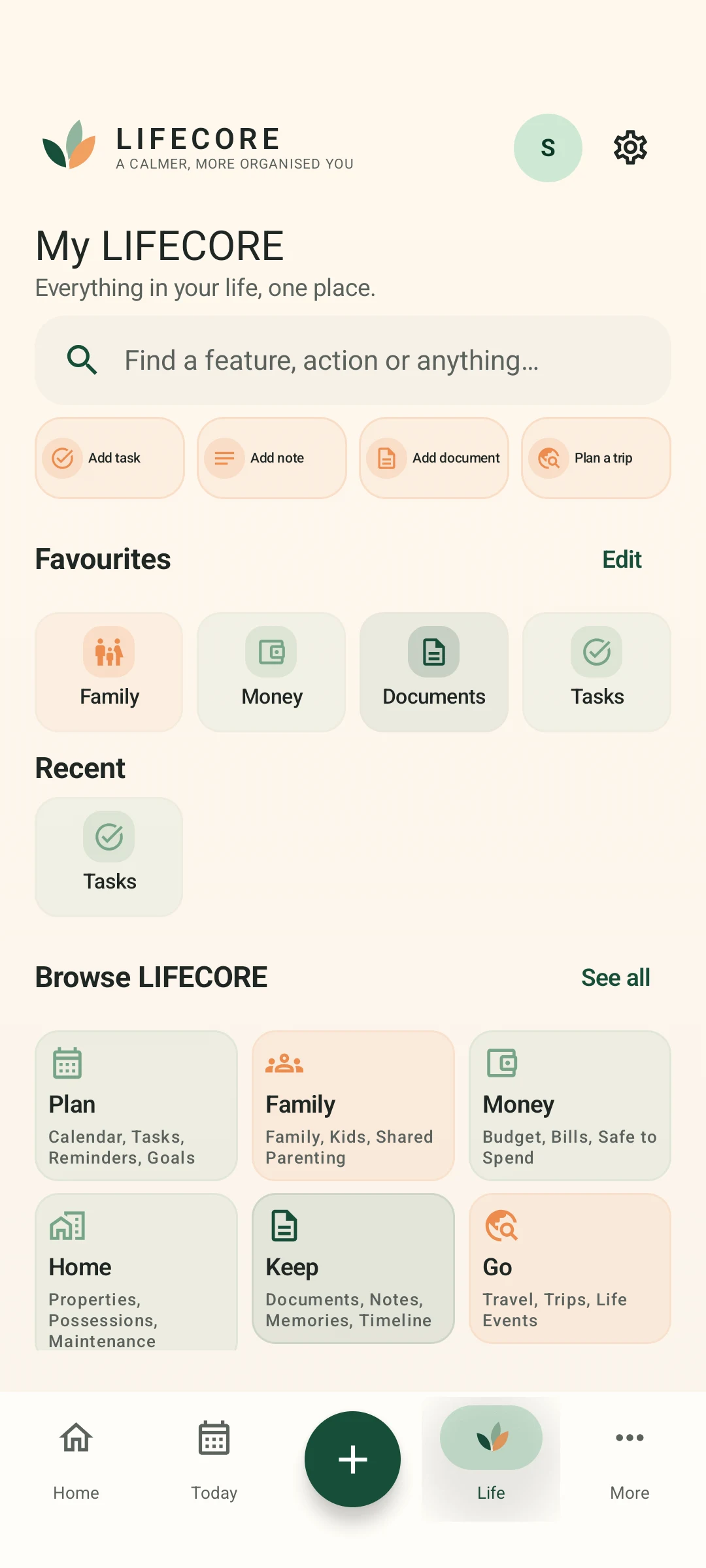
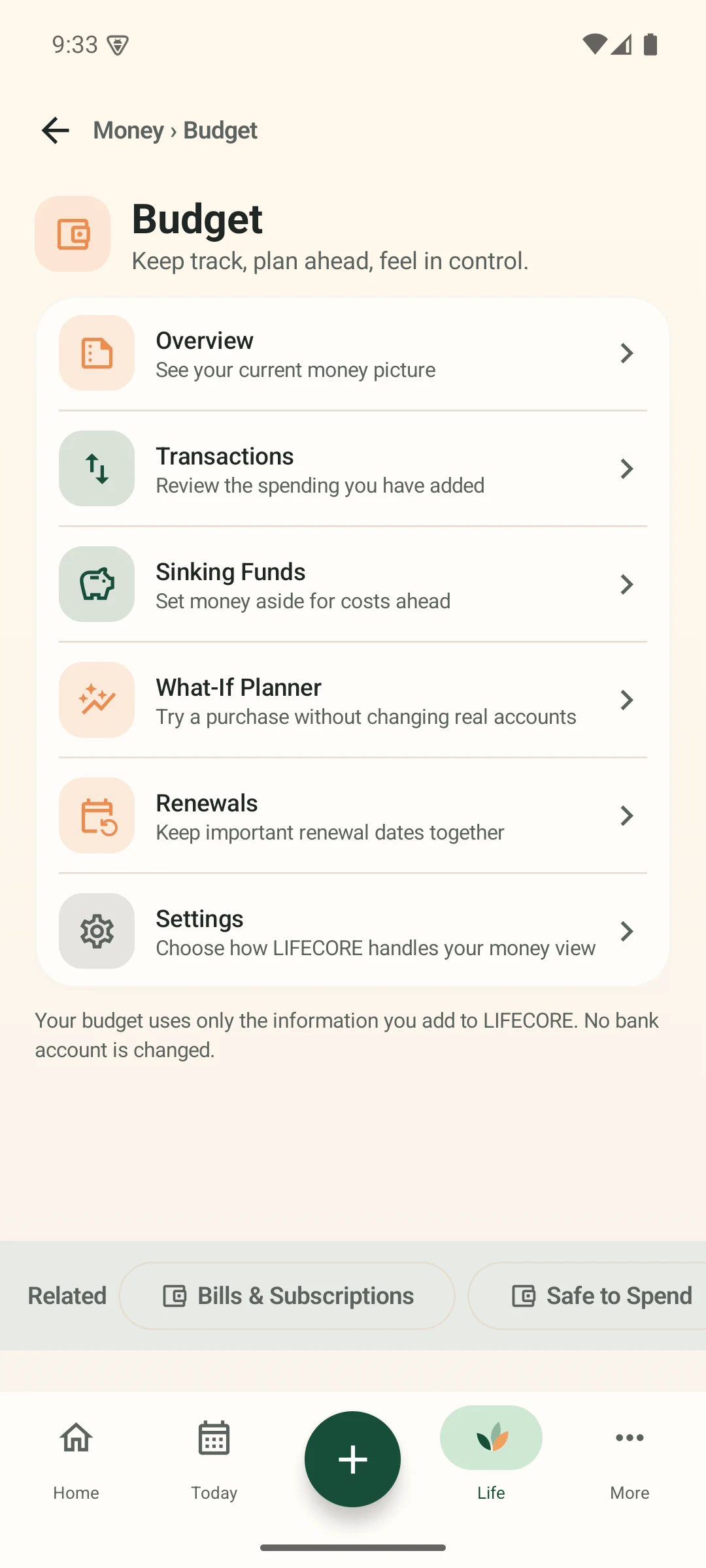
This is LIFECORE now
One clear way into everything.
The new LIFECORE Compass puts search, favourites, recent places and every feature in one calm view. Nothing useful is buried behind mystery menus.
Find it
Search for a feature, an action or something you have saved using normal words.
See it
Browse the whole app by the part of life it belongs to.
Pin it
Keep your most-used places close, then pick up where you left off.
Use it
Add a task, note, document or trip straight from Compass.
Built into the Android app: more than 50 searchable destinations and actions across planning, family, money, home, documents, travel, projects, knowledge, privacy and security.
Three signature experiences
Less noise. More useful context.
These experiences are already part of the Android app. They work together so you can move from noticing something to being ready for it.
Built in
01
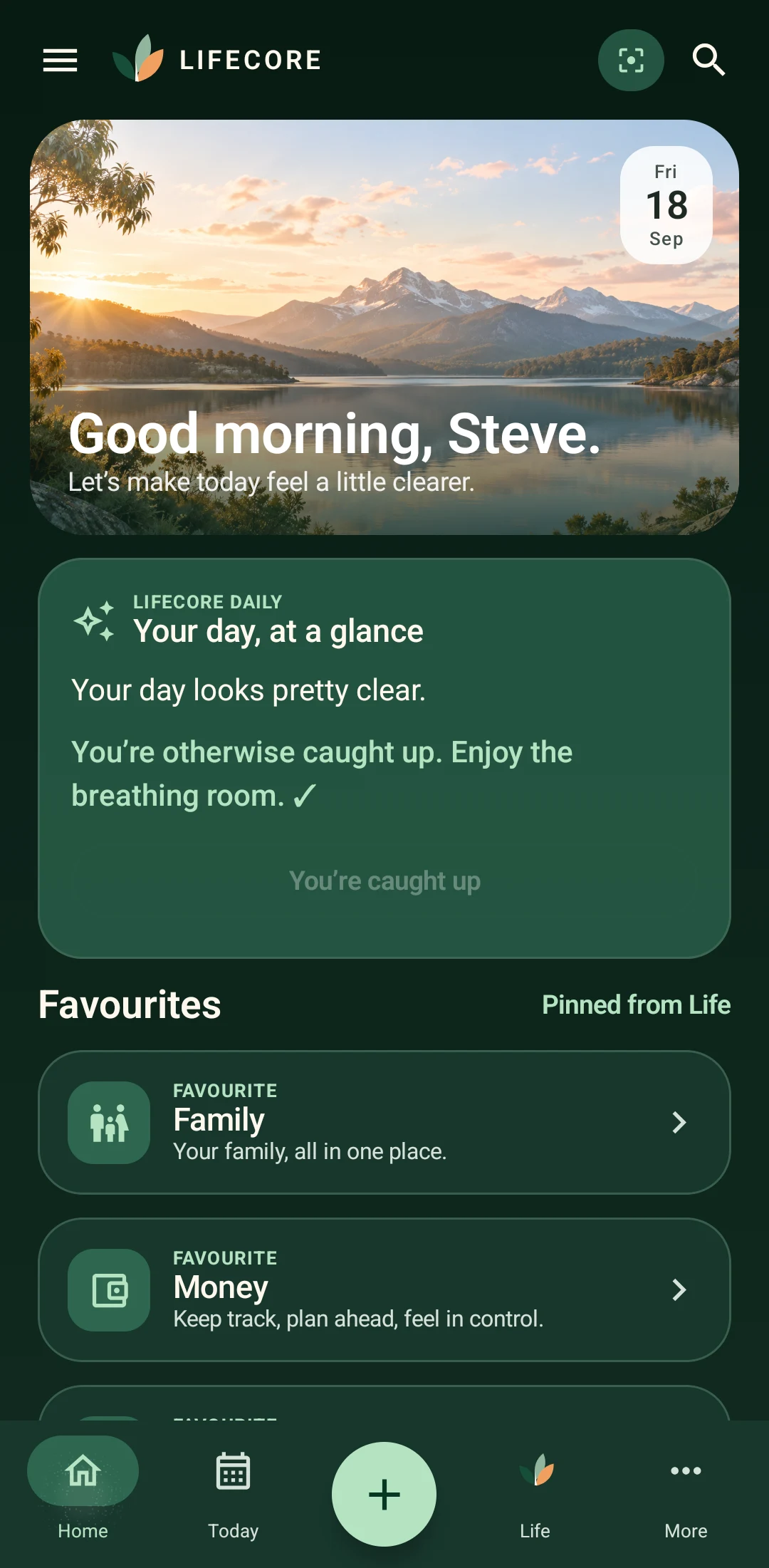
LIFECORE Daily
A calm briefing that brings together what matters today—and leaves the rest quiet.
Built in
02
What am I forgetting?
Checks the information you have added and shows why something may be worth a look.
- Calendar
- Tasks
- Documents
Built in
03
Universal Capture
Add something quickly, then keep it in the Inbox until you are ready to put it in the right place.
Try a LIFECORE moment
What would you like to make easier?
Start with clarity
Your day, without the scramble.
LIFECORE Daily brings together your calendar, tasks and reminders, then Life Radar points out anything worth checking before it becomes stressful.
- See today in one view
- Catch what needs attention
- Prepare the next step
 LIFECORE DAILY
Your day looks pretty clear.
LIFECORE DAILY
Your day looks pretty clear.
You have one reminder this afternoon.
Private by design
Local AI.
Real privacy.
Core LIFECORE functionality is designed not to depend on paid cloud-AI tokens. Sensitive information stays in an encrypted local Vault, and nothing is automatically sent to a cloud AI.
Your LIFECORE VaultEncrypted · Local-first · YoursLocal intelligence
Offline capability
Your permission
Built for family life
Practical coordination—with private lives kept private.
Family Space, kids and people, family plans, handovers, care and Shared Parenting are built into the Android app. Each person keeps a private Vault, and only the things chosen for a Family Space belong there.
Built in
One family space. Clear boundaries.
- Family calendar and activities
- School, shopping and chores
- Family documents and trips
- Caregiving and household coordination
- Warm, practical Shared Parenting mode
- Changeovers, handovers and schedule requests
Shared Parenting is structured practical communication—not surveillance, social media, or silent schedule changes.
Sharing is always explicit.
Your life, in motion
LIFECORE grows with you.
From everyday organisation to family, travel and the moments you want to remember. Choose what matters now—LIFECORE is designed to stay useful as life changes.
Grow→Belong→Explore→Rest→Remember
Make progress gently
Turn a bigger plan into one clear next step.
Bring goals, projects and focused work together—without turning your life into a performance dashboard.
Goals & Life PlansProjectsToday
NEXT STEP
Finish the project outline
One useful step for today.
1 / 5
Connected when you choose
One hub above the services you choose.
Your device calendar can already appear beside your LIFECORE plans. Other services are being connected one at a time, with a clear explanation of what each one can access and an easy way to disconnect.
External service→Permissioned connector→Private Life Graph→LIFECORE
The commercial philosophy
One plan.
Everything included.
Monthly and discounted annual options are the approved direction. Exact pricing will be announced later.
- No AI credits or token meters
- No Family feature packs
- No advertisements
- No selling personal data
- Your data remains yours.
Release preparation
The app is built. Now it is being prepared for people.
Compass, planning, family, money, home, possessions, travel, memories, documents, projects, knowledge, search, local assistance, backups, privacy controls, light mode and dark mode.
Automated tests, real-device testing, emulator stress testing, accessibility work and a release build targeting the latest Android generation with support back to Android 8.
Store subscriptions, production email, third-party credentials, final legal review, closed testing and Google Play approval.